
Download Call of War: World War 2 – real-time strategy, multiplayer, WWII, mobile game, tactical combat, historical battles, cross-platform, turn-based strategy, war simulation
Overview
Call of War: World War 2 is a real-time strategy mobile game that immerses players in the dramatic conflicts of the 20th century’s most pivotal war. Designed for fans of historical warfare and tactical gameplay, the app allows users to assume command of a nation during World War II, engaging in dynamic, player-driven battles across multiple fronts. The game emphasizes strategic planning, resource management, and alliance formation, offering a competitive yet historically inspired environment.
It caters to strategy enthusiasts seeking deep gameplay mechanics, as well as casual players interested in immersive military simulations. While the developer, Call of War, has not disclosed additional background information, the app’s longevity since its 2017 release suggests a sustained player base and ongoing development. Real-world use cases include educational engagement for history buffs, social interaction through multiplayer alliances, and entertainment for fans of war-themed strategy games.
In the broader mobile app ecosystem, Call of War stands out by combining real-time action with cross-platform accessibility, making it a notable entry in the strategy genre.
Key Features & Functionality
- Multiplayer Experience: Players battle against up to 100 real opponents per map, requiring strategic alliances and shifting rivalries to succeed. This large-scale competition fosters dynamic, unpredictable gameplay with each match offering a unique experience.
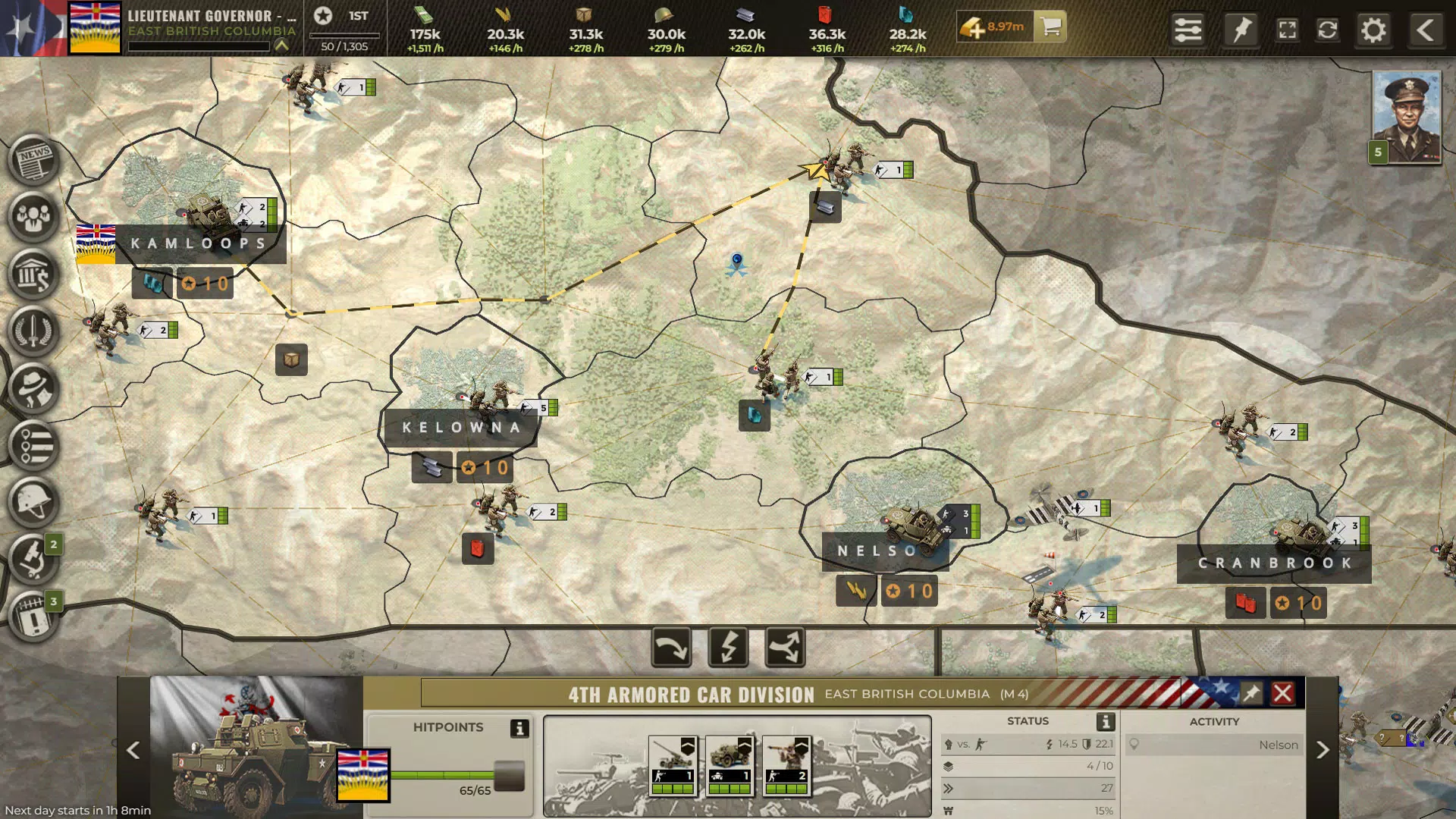
- Real-Time Strategy Mechanics: Units move and respond in real time, demanding quick decision-making and adaptive tactics. This mechanic enhances immersion, allowing players to feel the urgency of commanding troops on a live battlefield.
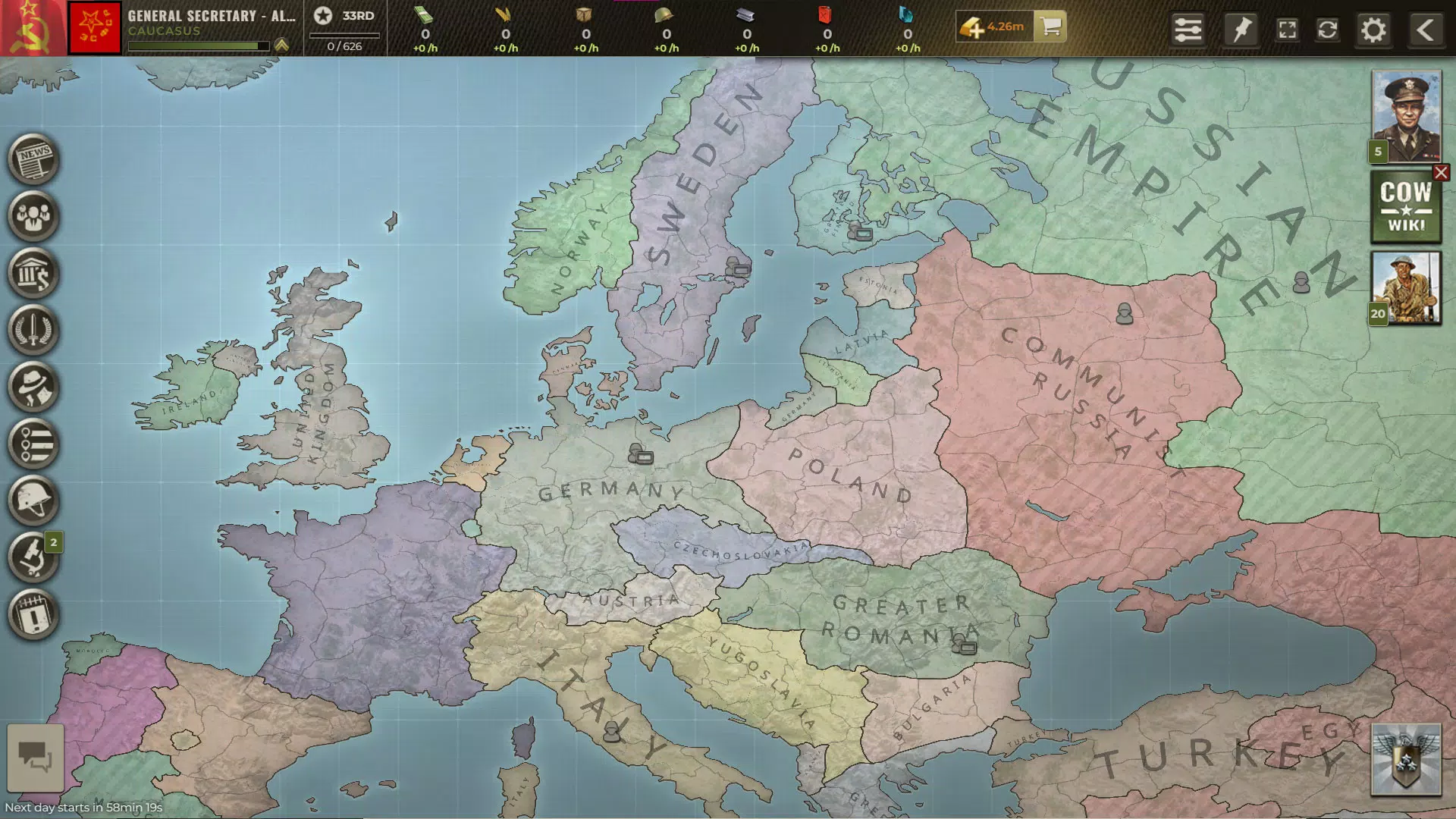
- Diverse Game Maps: The game features historically inspired maps with varied terrain and strategic challenges. Each map introduces different environmental conditions and choke points, ensuring no two battles unfold the same way.
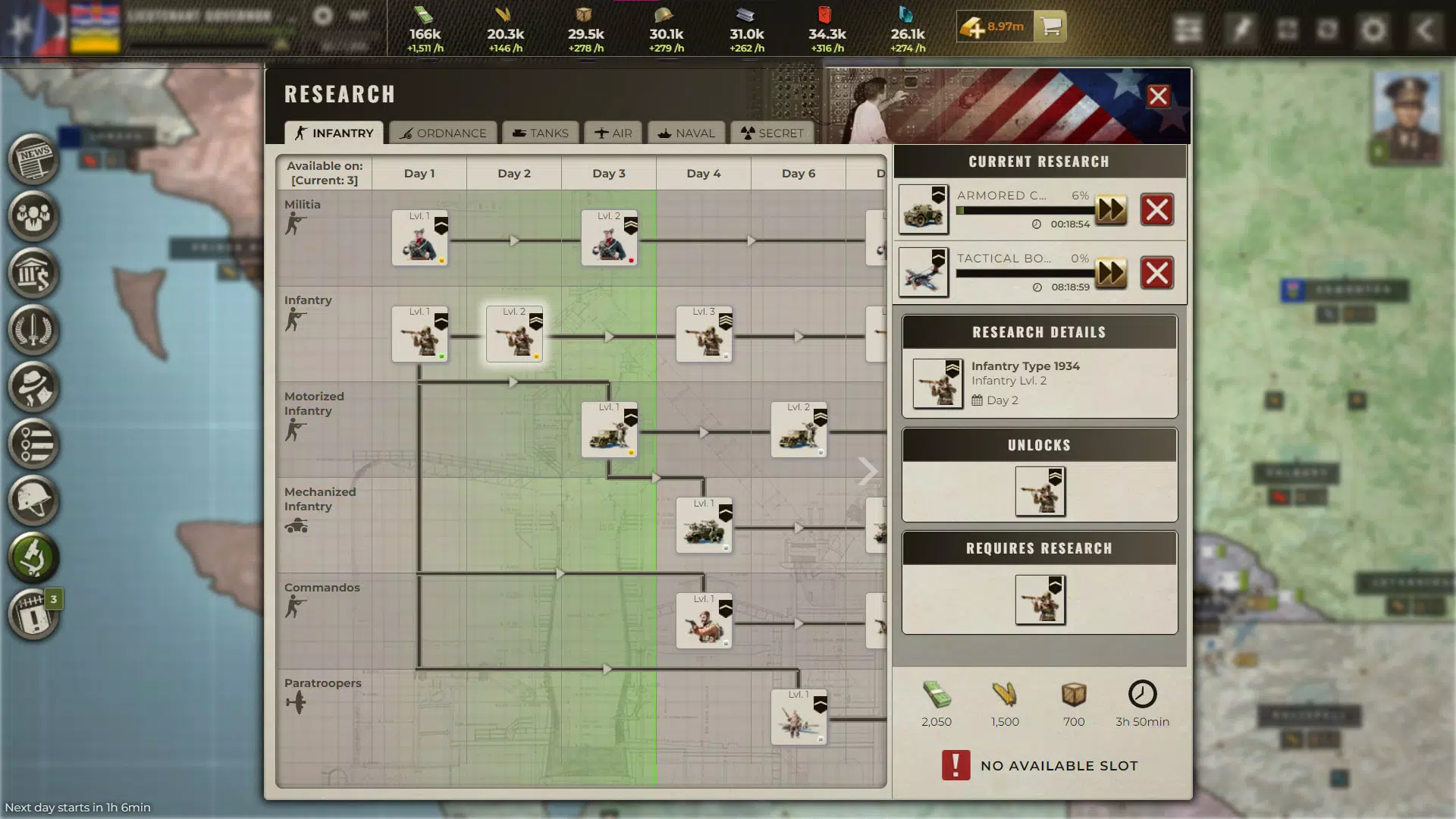
- Extensive Tech Tree: With over 120 units, including historically accurate forces and advanced weapons like atomic bombs, players can research and unlock new military capabilities. This deep progression system supports evolving strategies across multiple campaigns.
- Cross-Platform Accessibility: Available on mobile (Android, iOS), desktop browsers, and Steam, the game enables seamless transitions between devices. Players can continue their campaigns regardless of location, enhancing convenience and engagement.
These features combine to deliver a rich, evolving gameplay loop. For example, a player might form a temporary alliance to capture a key resource zone, only to switch sides when a stronger faction emerges. The real-time movement of units ensures that even minor delays in decision-making can shift the tide of battle, rewarding active engagement and tactical foresight.
Interface, UX & Performance
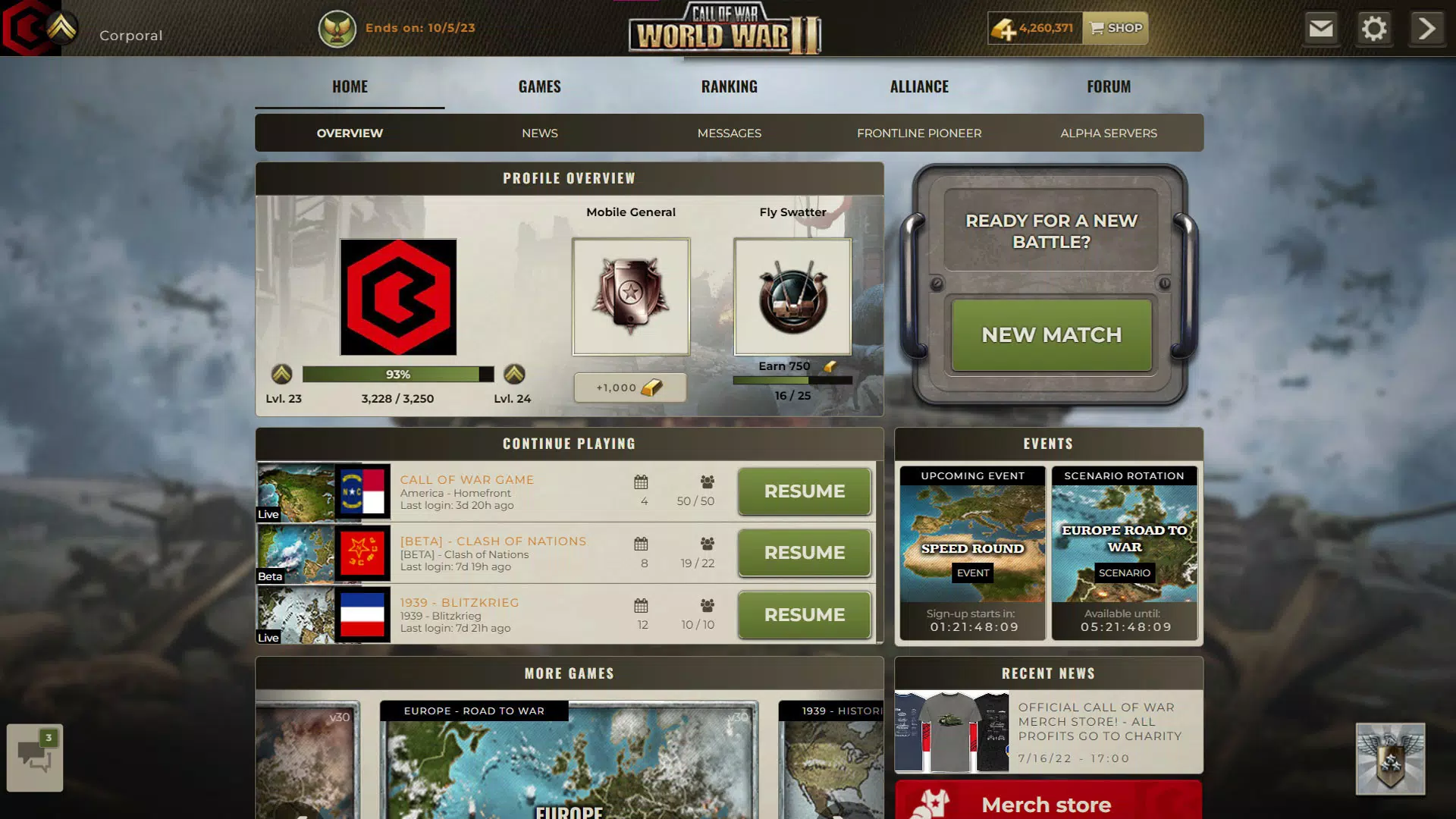
The user interface of Call of War: World War 2 is structured around a central command dashboard, with intuitive navigation between map views, unit management, and alliance chat. The visual style blends historical authenticity with clean, modern design elements, using color-coded zones and clear icons to represent units, resources, and territories. Navigation is linear and predictable, allowing new users to locate key functions such as research, deployment, and alliance management without confusion.
Although the developer did not list formal performance metrics, the app’s ability to run across mobile and desktop platforms suggests optimized resource usage. Responsiveness appears consistent across device categories, with minimal lag reported in standard gameplay scenarios. Stability is supported by the app’s long-standing presence in the market, indicating regular maintenance and bug fixes.
However, specific requirements for device compatibility were not disclosed. The interface remains functional even during high-intensity combat, though complex actions may require careful input due to screen density constraints on smaller devices.
Platform Compatibility & Technical Requirements
Call of War: World War 2 is available on both Android and iOS platforms, ensuring broad accessibility for smartphone users. The current version is 1.0.102, with a file size of 235 MB, making it a lightweight download suitable for most modern devices. The game supports cross-platform play, allowing users to transition between mobile and desktop environments without losing progress.
However, the developer did not specify minimum OS requirements or device compatibility details. It is recommended to check the app store listing for the latest system requirements before installation. The app’s free pricing model removes financial barriers to entry, making it accessible to a wide audience.
While no information was provided about cloud saves or synchronization protocols, the cross-platform functionality implies some form of backend data storage to maintain continuity across devices.
Pros and Cons
- Free to download and play, lowering the barrier to entry
- Supports cross-platform play across mobile and desktop
- Real-time combat adds urgency and immersion
- Extensive tech tree with over 120 units and historical accuracy
- Large-scale multiplayer with up to 100 players per map
- Unique gameplay experience with shifting alliances and dynamic maps
- Specific system requirements were not listed
- Performance may vary on older or lower-end devices
- No official information on update frequency or long-term support
- Complex gameplay may be challenging for complete beginners
- Requires stable internet connection for real-time multiplayer
FAQ
Is Call of War: World War 2 free to play?
Yes, the app is available at no cost. There are no upfront payments required to access core gameplay features.
Can I play Call of War on both Android and iOS?
Yes, the game is compatible with both Android and iOS devices, allowing users to play on their preferred mobile platform.
Does Call of War support cross-platform multiplayer?
Yes, the game is playable across mobile (Android, iOS), desktop browsers, and Steam, enabling seamless gameplay transitions between devices.
What is the file size of Call of War: World War 2?
The app has a file size of 235 MB, which is relatively lightweight for a strategy game with multiplayer functionality.
Is the game safe to download and install?
As a widely available app on official app stores, Call of War: World War 2 is considered secure. Users should always download from trusted sources to ensure safety.
Final Thoughts
Call of War: World War 2 delivers a compelling blend of historical depth, real-time strategy, and multiplayer competition. Its cross-platform nature, extensive unit variety, and dynamic battle environments make it a standout choice for strategy game enthusiasts. While the lack of detailed technical specifications may limit advanced users, the game’s core mechanics are robust and engaging.
It is best suited for players who enjoy long-term strategic planning, social interaction through alliances, and immersive historical simulations. The free access model further enhances its appeal. For those seeking a mobile experience that balances depth with accessibility, Call of War offers a rewarding and persistent gameplay loop.
Download Call of War: World War 2 now.


